


All, guide
Understanding Laptop Specifications — A Guide for Beginner
Aug 11, 2025
Author: ASUS Reading time: 6 minutes
Aug 11, 2025
Buying a Laptop? Here’s What Specs You Need to Know
Ever looked at a laptop’s tech specs and felt completely lost? CPU, GPU, RAM, SSD — it can all sound like complex tech jargon. But understanding these terms can help you choose the best laptop that fits your needs, whether you’re a student, a creator, or just need something lightweight and reliable.
This beginner-friendly laptop guide explains key laptop specs in plain English and shows you how they translate to actual ASUS laptops that match different lifestyles and goals.
What Laptop Specs Mean (in an easily understandable way)
-
CPU (Central Processing Unit): Think of this as your laptop’s brain. It handles everything. More power = better multitasking.
-
GPU (Graphics Processing Unit): Responsible for processing visuals. Its performance can affect gaming, design, photo-or video-editing.
-
NPU (Neural Processing Unit): Found in AI PCs like Copilot+ laptops, this chip accelerates AI-powered features such as live captions, background blur, and image generation. It offloads AI tasks from the CPU and GPU, improving speed and battery life.
-
RAM (Random Access Memory): Helps your laptop juggle tasks. 8GB is sufficient, while 16GB or more is better suited for heavy users.
-
SSD (Solid-State Drive): Modern laptops use SSD storage for enhanced speed and reliability. Avoid HDDs (Hard Disk Drive) unless on a strict budget.
-
Other tips: Consider battery life, weight, and display quality, and match them with your daily laptop usage habits.
Match Your Needs to an ASUS Laptop
Here’s a breakdown of ASUS laptops based on the features they do best:
| Spec Category | What It Means (for Beginners) |
Best ASUS Models | Why These Models? |
|---|---|---|---|
| High CPU Performance | For fast multitasking, heavy apps, and data crunching | ASUS Zenbook 14 OLED (UX3405), ASUS Zenbook S16 (UM5606), | Intel® Core™ Ultra, AMD Ryzen™ AI processors; ideal for creators, professionals, or AI-powered tasks. |
| Powerful GPU | For gaming, 3D rendering, creative work (graphics-heavy tasks) | ROG Strix G16, ASUS TUF Gaming F16 (FX608) | Dedicated NVIDIA® GPUs (like the RTX series); perfect for creators, designers, and gamers. |
| NPU | Helps your laptop run AI features faster and use less power | ASUS Zenbook S16 (UM5606), ASUS Zenbook A14 (UX3407), | Speeds up AI tasks like live captions and image effects, improving performance and battery life. |
| High RAM Capacity | For smooth multitasking, especially with many browser tabs or pro software | ASUS Zenbook 14 OLED (UX3405), ASUS Zenbook S14 (UX5406), ASUS Vivobook S14 (S3407), | 16GB+ RAM; built for speed, responsiveness, and modern multitasking needs. Enjoy up to 32GB RAM on ASUS Zenbook. |
| Lightweight & Thin | Great for students, travelers, or hybrid workers | ASUS Zenbook A14 (UX3407), ASUS Vivobook S14 (S3407QA) | Ultraportable ASUS Zenbook and Slim and Stylish Vivobook S - easy to carry with premium design and power. |
| Value for Beginners | Affordable, good all-around performance for everyday tasks | ASUS Vivobook S14 (S3407) ASUS Vivobook Series | Entry-level but reliable performance. Ideal for those new to laptops or on a budget. |
Quick Laptop Recommendations by Spec Strength and User Type
If you need high CPU performance for demanding tasks like content creation, video editing, or AI-assisted workflows, consider the following laptops based on processor type:
-
ASUS Zenbook 14 OLED (UX3405) – Powered by the latest Intel® Core™ Ultra, ideal for multitasking.
-
ASUS Zenbook S16 (UM5606) & ASUS Zenbook S16 (UM5606) – Equipped with AMD Ryzen™ AI processors, great for creative workloads (content creation and video editing).
-
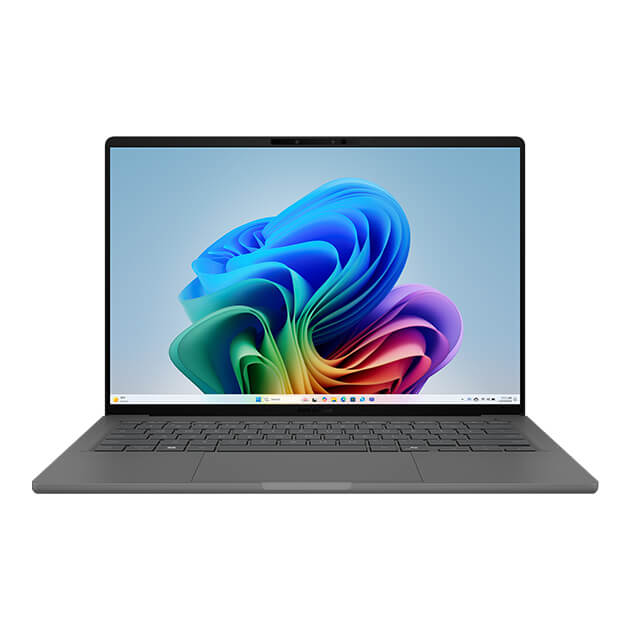
ASUS Zenbook A14 – A Copilot+ PC featuring up to Snapdragon® X, designed for on-the-go AI performance.
For AI-powered features, look for laptops with an NPU. This dedicated chip accelerates tasks like real-time captions, background blur, and image generation by handling AI workloads separately from the CPU and GPU. Laptops equipped with NPUs deliver faster performance and better power efficiency, especially when using AI-enhanced features like Copilot+.
-
For creative professionals who require powerful GPUs, the ROG Strix G16 and ASUS TUF Gaming F16 (FX608) offer high-end NVIDIA® GeForce RTX™ graphics, ideal for graphic design and video editing.
-
If you’re a student or multitasker who frequently runs multiple programs or browser tabs, choose a model with high RAM capacity like the ASUS Vivobook S14 These laptops come with 16GB of fast memory, perfect for modern productivity.
-
If you’re often on the move, portability matters. Choose a lightweight and thin model like the ASUS Zenbook A14 (UX3407), which is only 0.98 kg and ASUS Vivobook S14 (S3407), which is only 1.35 kg, These slim laptops balance performance with battery life.
-
If you’re new to laptops or just need a budget-friendly daily driver, ASUS Vivobook Series offer solid value. They’re great for browsing, note-taking, office work, and streaming.
Finding the Correct Laptop Specs for Your User Needs
Now that you understand the key laptop specs and how they relate to different user needs, you’re better equipped to choose the right laptop for your lifestyle. ASUS Myanmar offers a wide range of laptops designed to match these needs, from powerful ASUS ROG , TUF Gaming , ASUS Gaming K/V Series laptops built for gamers, to sleek ASUS Zenbook and Vivobook models designed for creators, students, and professionals in Myanmar. Whether you’re looking for an Intel®-, AMD-, or Snapdragon®-powered laptop in Myanmar, ASUS has a model to match your needs.
Explore the full ASUS lineup today to find the laptop that fits your workflow, budget, and style.Related products



Also Visit
Related articles

May 18, 2023

Jan 25, 2024